All updates
New
A home for major-gift work
A Fundraising section for gift officers, a fuller Stewardship tab with pledges and opportunities, and roles on every contact.
Rohit Kaushik, Head of Engineering
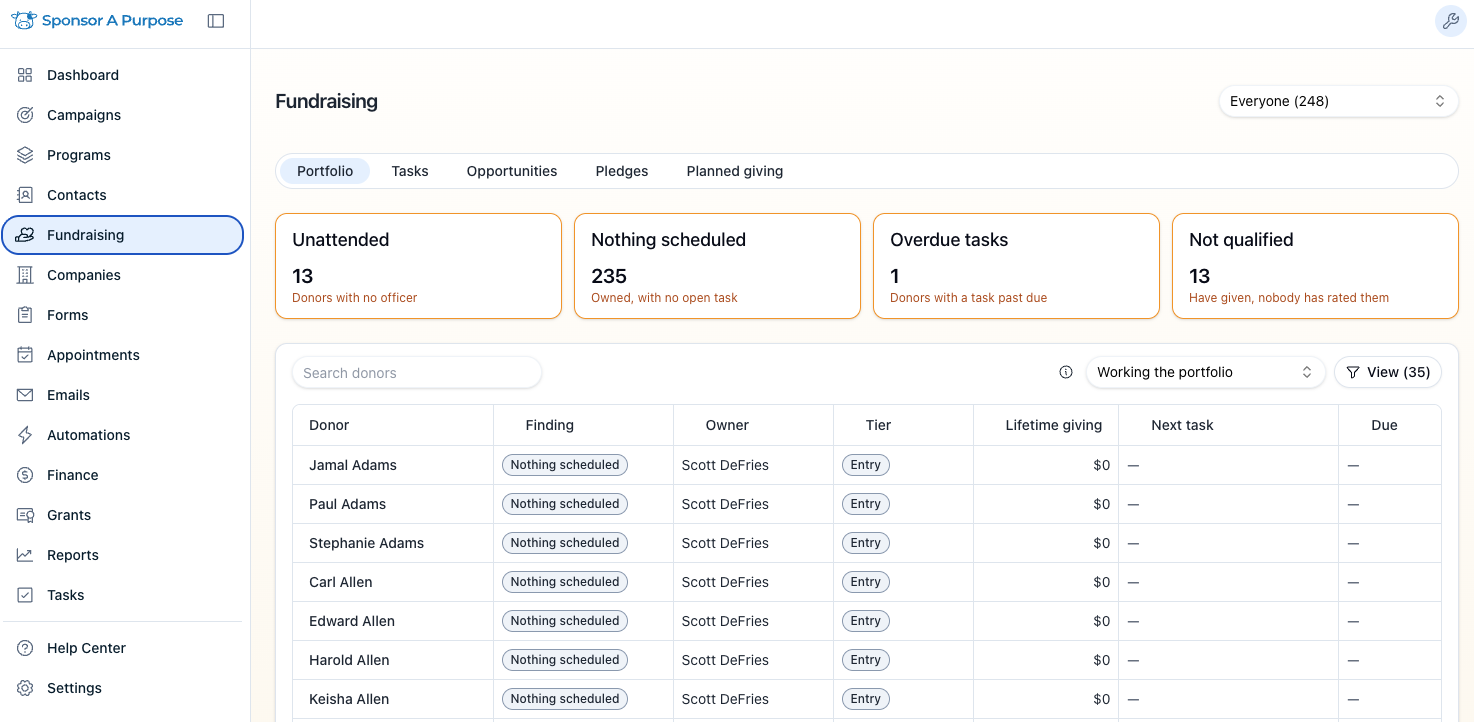
Gift Officers have a new place to plan their week, and the Stewardship tab now holds the whole relationship with a major donor: opportunities, pledges, next steps and the details that matter to them.
The Fundraising section
A new Fundraising section lists each officer's portfolio with the one thing to do next for each donor. It also has queues for tasks, open asks, pledges and planned gifts, all filtered by officer. Every row opens that donor's Stewardship tab. This section comes with the Stewardship add-on.
The Stewardship tab
- Opportunities and pledges. Track several gift opportunities for each donor, and pledges with their installment schedules.
- Everything else you need. Record the next move, ratings, interests, key dates and how the donor likes to be recognized.
- Partial payments. A pledge installment can take several gifts and shows "$1,000 of $3,000 paid" until it's paid in full. A gift smaller than the installment pays only its own amount, and the rest is still due.
- Undo a mistake. Unapply a gift from a paid installment in one click instead of recording the pledge again.
- Won and reopened. Marking an opportunity Won records its pledge or links the gift that already arrived. Reopening it removes that pledge.
- Small fixes. Overdue tasks are counted in days. An amount that's too large is flagged in the field. A closed opportunity shows the day it closed. The pledge schedule error goes away once the installments add up.
Also new
- Contact roles. Record a contact's roles (board member, staff, volunteer, committee member, member or ambassador) with start and end dates. Roles show on the contact record, and you can filter the contacts list by role.
- Planned-giving officers. You now pick a planned gift's assigned officer from your team. Officer names we couldn't match to a teammate were kept in the record's notes.
