A Fresh Look For Contacts
Our contacts page needed some love, so we gave it an overhaul
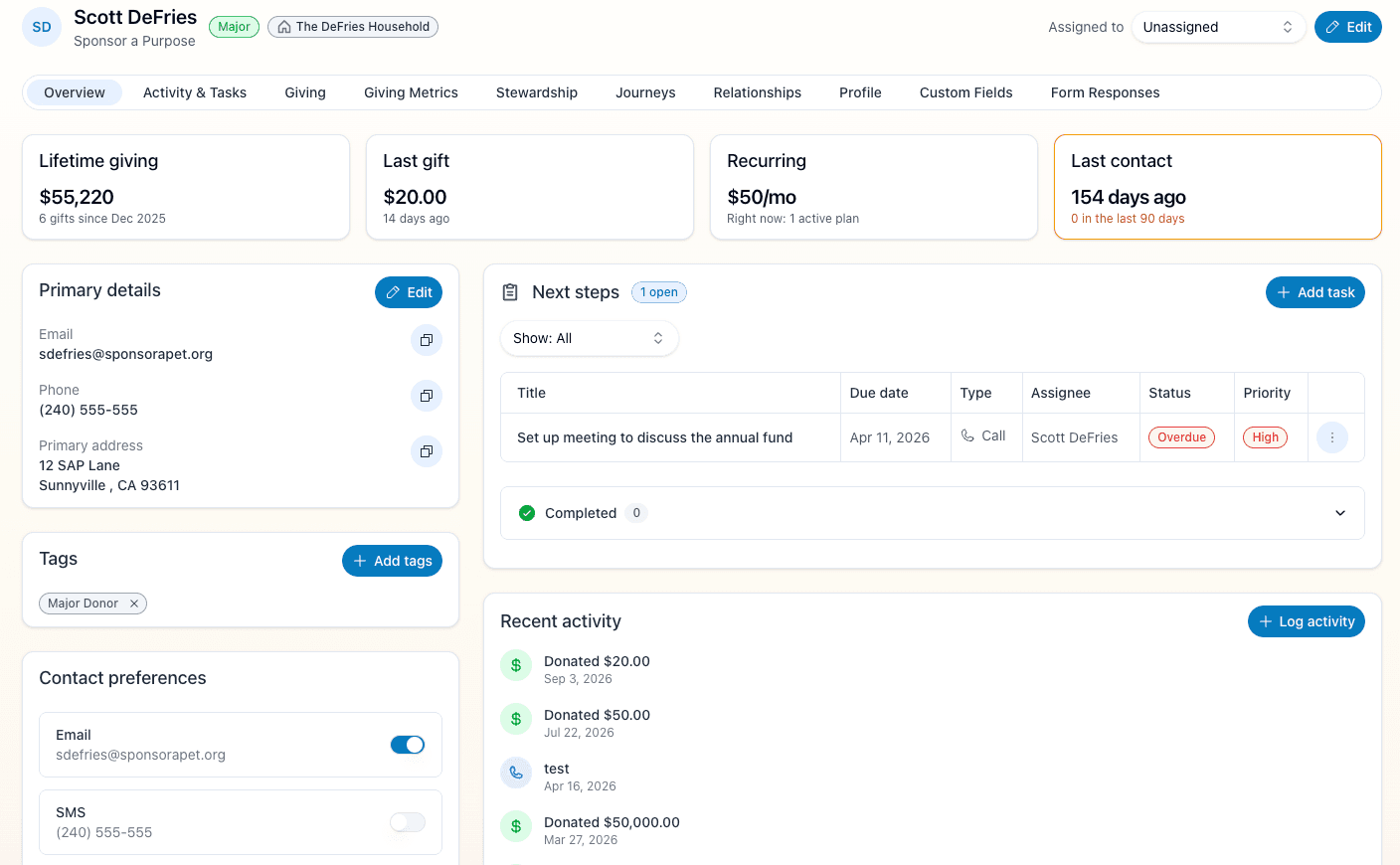
The contact record has been the busiest screen in the dashboard for a while, and it was starting to show. Tabs had grown a card at a time, the same status was stated in three different places, and finding one phone call from last March meant scrolling. Here's what changed.
Activity is a table now
The activity list on Activity & Tasks has become a proper table. You can search it, filter by type, group by type, and see who logged each entry — including the rows the system logged itself.
The four momentum factors sit side by side
On Giving Metrics, gift velocity, second gift, giving growth and engagement depth used to be four full-width cards stacked down the page — each one repeating a score the summary at the top had already shown you. They're now four compact cards, two across, so you can compare them instead of remembering them.
Each card shows the score, how much of the total it accounts for, and the few numbers behind it. The per-gift donation timeline and the longer written notes that used to live inside those cards have gone with the redesign. The scoring itself is unchanged, so every number reads exactly as it did before.
Giving warns you when the second-gift window is closing
A first-time donor who hasn't given again is the one thing on a record with a deadline attached. The Giving tab now shows a warning when that window is closing or has closed, with a button to add a task without leaving the page.
It stays quiet for donors who are simply new — you'll only see it when there's something worth doing.
Forms tell you what they need
Every form on the contact record now marks its required fields, and puts each error next to the field it's about — instead of one message above the buttons that couldn't tell you which of two fields it meant.
Custom fields are a table
Custom fields are now a table you can edit or clear one row at a time.
Tasks and activity can be deleted from the row
Deleting a task or an activity entry is now a row action, in the same menu as everything else you can do to that row, with a confirmation step before it runs.
